
Switching Between Data Types and Calling Sub VI’s
Switching data types VI
There is a structure called “case structure” that will execute if the condition is true or false.
By using the case structure, it is possible for the user to switch between data types.
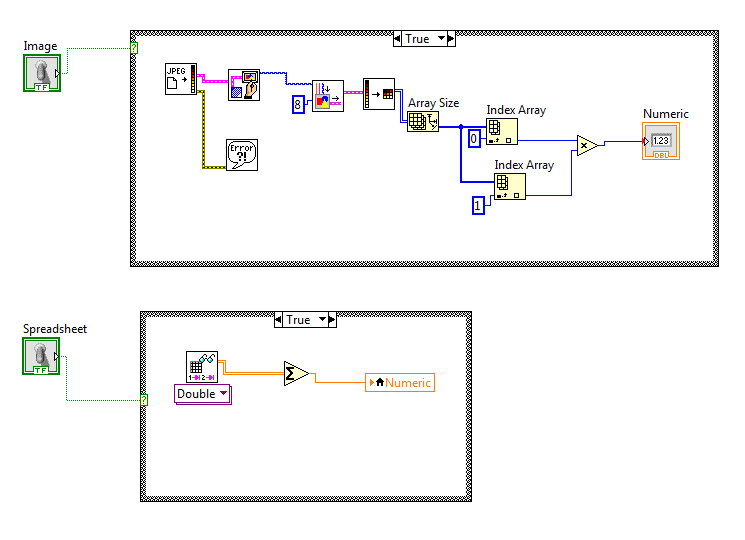
In the example above, the user can tell the program to complete an action for either an image, a excel spreadsheet, or both.
LabVIEW also allows the programmer to call sub-VI’s. In the example below, the program will call the Switching Data Types VI, as shown above. This sub-VI requires two inputs and will produce two outputs, replicating the VI shown above.
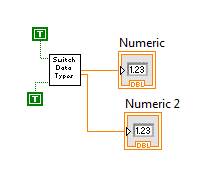
The picture below shows how one can “map out” the sub-VI in the front panel. Notice the similarities with the picture below and the picture above.
